
Can Network Congestion Reduce Signal Quality?
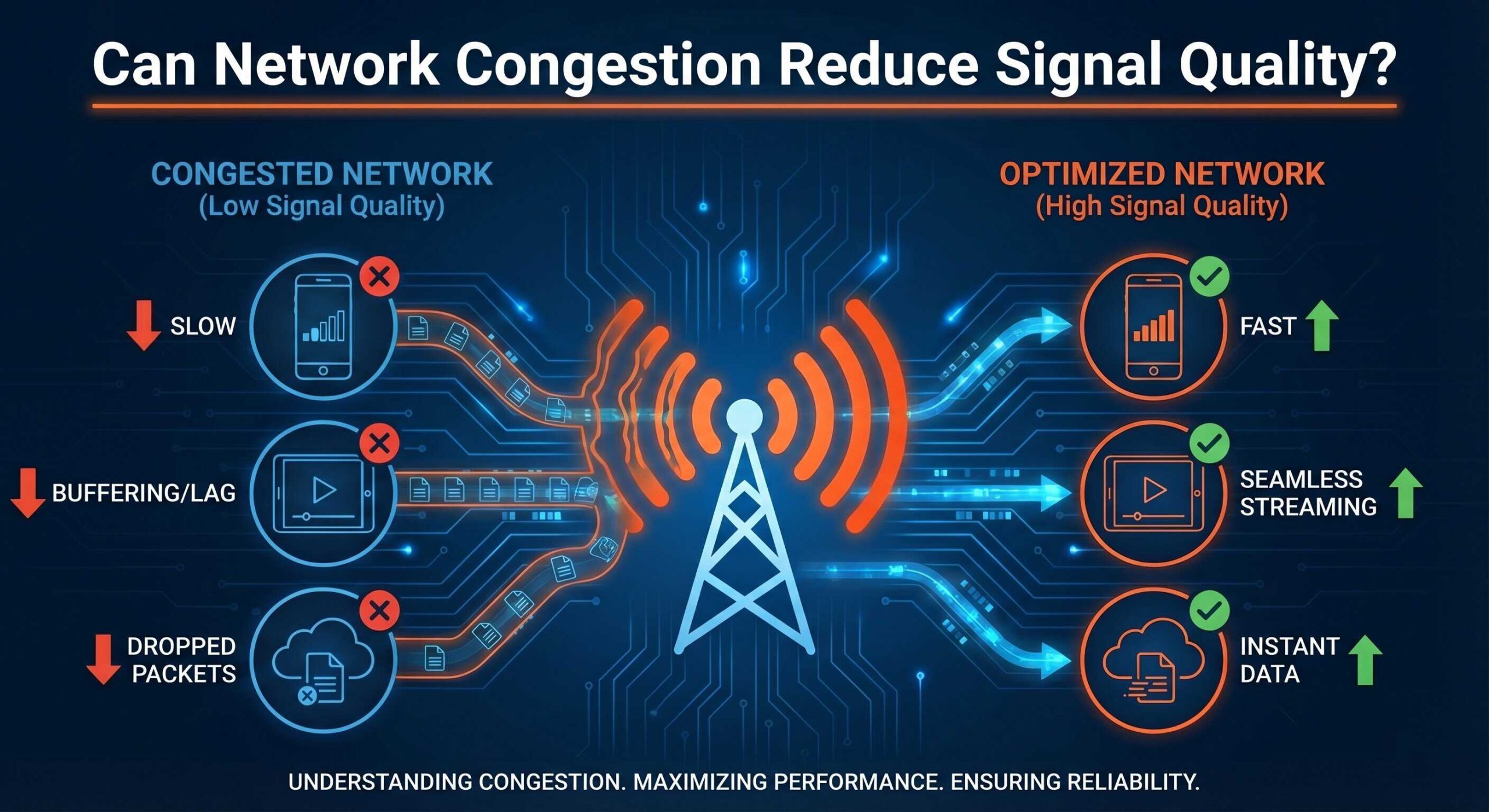
Signal quality can sometimes be a big “issue” for a lot of device users, especially those who rely on a strong connection in their job. Noticing a dip in signal quality or a complete loss of signal can not only be frustrating but sometimes detrimental. We all know that built-up areas and the countryside are places that struggle to get a strong network connection, but what about when you’re at home? What is causing the signal to drop then?
Network congestion is one of the biggest causes of reduced signal quality. You may experience:
- Slower speeds
- Connection issues
- Higher latency
- Packet loss
Jump to section:
- What is Network Congestion?
- How Network Congestion Can Reduce Signal Quality
- Common Causes Of Network Congestion
- How To Reduce Network Congestion For Better Signal Quality
Keep reading to find out what network congestion is, what causes it, and some steps you can take to reduce the loss of signal.
What is Network Congestion?
Network congestion occurs when the network is overloaded with more data traffic than it can handle. This happens when too many devices overwhelm the network’s bandwidth, causing slow speeds, dropped connections, high latency, and lost data packets. Think of the network as a road. If there are too many cars on the road, this causes a traffic jam, and the cars have nowhere to go. This is what happens when network congestion occurs.
How Network Congestion Can Reduce Signal Quality
Network congestion is typically temporary, but it can cause issues that affect signal quality.
Slower Connection Speed
A common effect of network congestion is a slower connection speed. Because the network is overloaded with too many users trying to access it, websites may take longer than usual to load, a download may take hours rather than minutes, and online videos may buffer or refuse to play.
Connection Issues AKA Jitter
Connection issues (or jitter) occur when there is a time delay between the signal that is being transmitted and when the network receives it. This is measured in ‘ping’. The higher the ping, the longer the network takes to respond when a request has been made. The result of this time delay is choppy audio calls, poor quality videos, and a delay in uploading and downloading files.
Higher Latency
Latency and jitter are closely connected. For example, latency is the delay caused by jitter on the network; it is a measurement of the time taken for data to travel. When high latency occurs, this decreases the communication bandwidth of the network and can cause things such as lag in video games and video calls.
Packet Loss
Packet loss sits alongside latency and jitter. It refers to the packets of data that travel through a network, but ultimately fail to reach their destination. When data packets are sent, the Transmission Control Protocol (TCP) splits the packets into smaller pieces for easier routing. These pieces may travel separate routes, but will always be restored to the original file by TCP once they reach the receiving end. However, when data packet loss occurs, this never happens. The lost packets will require retransmission and will have to queue to wait their turn, slowing down the connection.
Common Causes Of Network Congestion
Crowded Cell Towers
All mobile devices connect to a cell tower in order to make calls, send texts, and use the internet without wifi. When these cell towers become too crowded – too many people connecting to the same cell tower at once – the network becomes congested. For example, if you have ever been to a stadium that is packed with people, you’ve more than likely noticed that your signal strength has dropped. This is because there are too many connections for the cell tower to handle.
Provider Capacity
The internet service provider or network provider you have chosen may lack the network capacity required for a consistent signal strength during peak times. At peak times, more people are likely to be online and use their service providers’ bandwidth. If this bandwidth is not big enough, the signal will struggle, and the quality may drop.
Wi-Fi Overload
Just like a cellular tower, a Wi-Fi connection can be overloaded. If there are too many people attempting to connect to the network, the signal will become slower. As well as this, if there are overlapping networks in one small area, such as a shared accommodation or a shopping centre, this can cause network congestion too. Think of this as a crossroads; not every car can move at once, and they have to wait their turn.
For more information on other factors that can affect your mobile signal, take a look at our article, “What Causes Poor Mobile Signal (And How To Fix It)”.
How To Reduce Network Congestion For Better Signal Quality
Reducing network congestion can be tricky if you are unsure what is the main cause. Below are some suggestions to reduce your network congestion and, in turn, improve your signal quality.
Switch Network Band
If you are constantly finding that your signal strength is dropping/nonexistent, it could be worth trying a different network band. For example, if your device is showing that you are connected to 5G but you still can’t find a stable signal strength, switch to 4G instead. It may be the case that 5G is overloaded, but 4G has space for you.
Toggle Aeroplane Mode
Sometimes, if the cell tower you are connected to is too congested, your phone can struggle to find a better alternative. However, by toggling aeroplane mode for around 10 seconds and then turning it back off, you can “force” your phone to find the best signal.
Close Background Apps
If you usually leave apps running in the background, you could actually be unintentionally congesting the network. Close off the apps you no longer need and prioritise the ones you do. You can also check the data usage of each app in your device settings to ensure that if you leave the app open in the background while you’re doing other things, it won’t attempt to use data.
Switch Location
It may sound simple, but if you are in a busy area with lots of people probably trying to connect to the same cell tower as you, try to switch your location or wait until you’re in a less crowded place.
Signal Boosters
A signal booster could be the perfect solution, especially if you need to have a strong signal throughout a large building like an office space. They work by amplifying the network’s signal strength to eliminate connectivity troubles.
NetCov provide advanced mobile signal enhancers, using only smart cel-fi signal boosters. Each signal booster is Ofcom-approved and will maximise your connectivity for networks such as O2, 3, Vodafone and EE. Contact us today for a free consultation or take a look at our case studies to see how we have helped others with their connectivity issues.